Export your CSV
Generate an account activity report in the Robinhood app and download it as a CSV.
- 1
Open your account menu
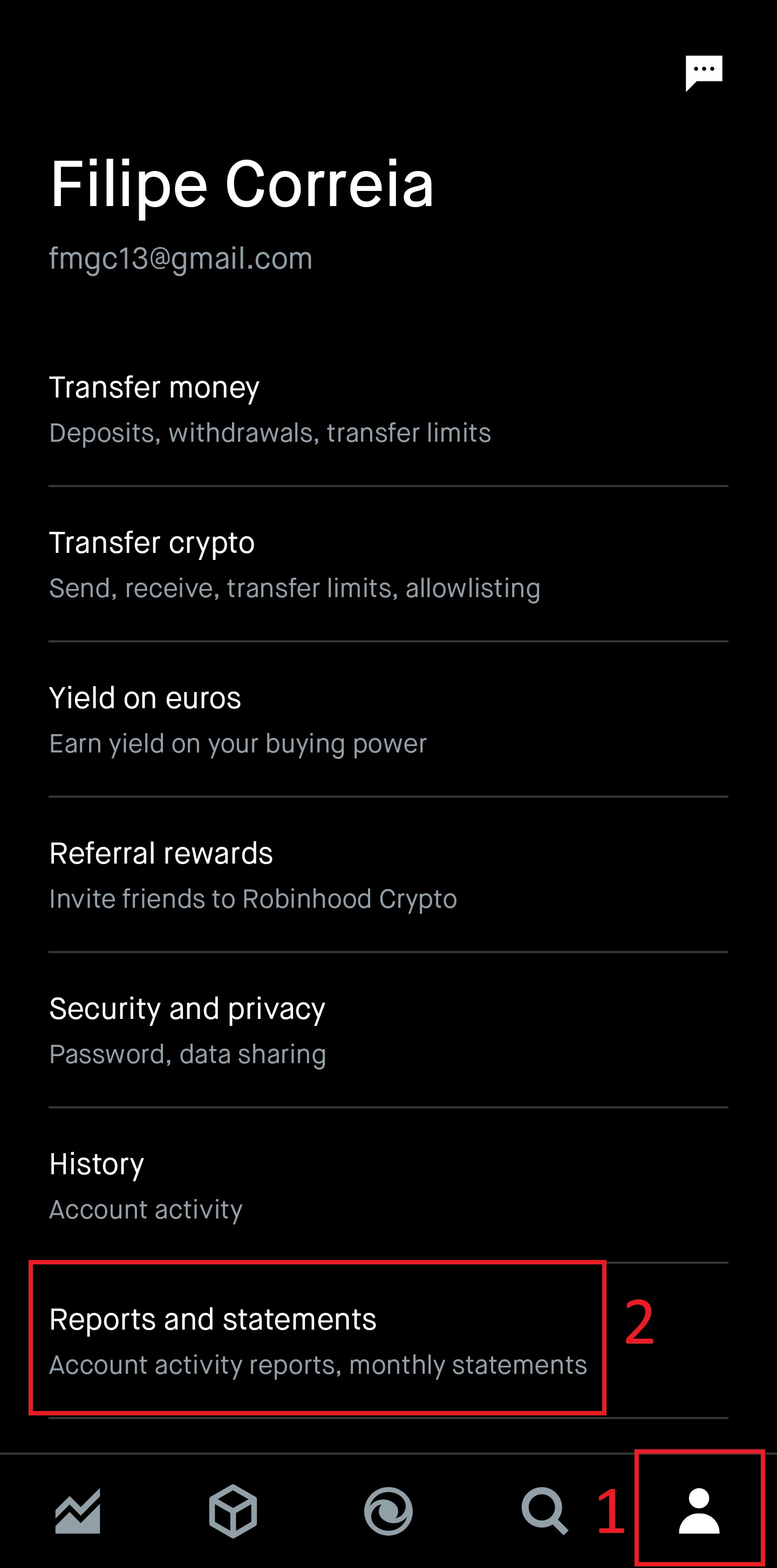
In the Robinhood app, tap the account icon in the bottom-right corner (1), then tap Reports and statements (2).
- 2
Open Account activity reports
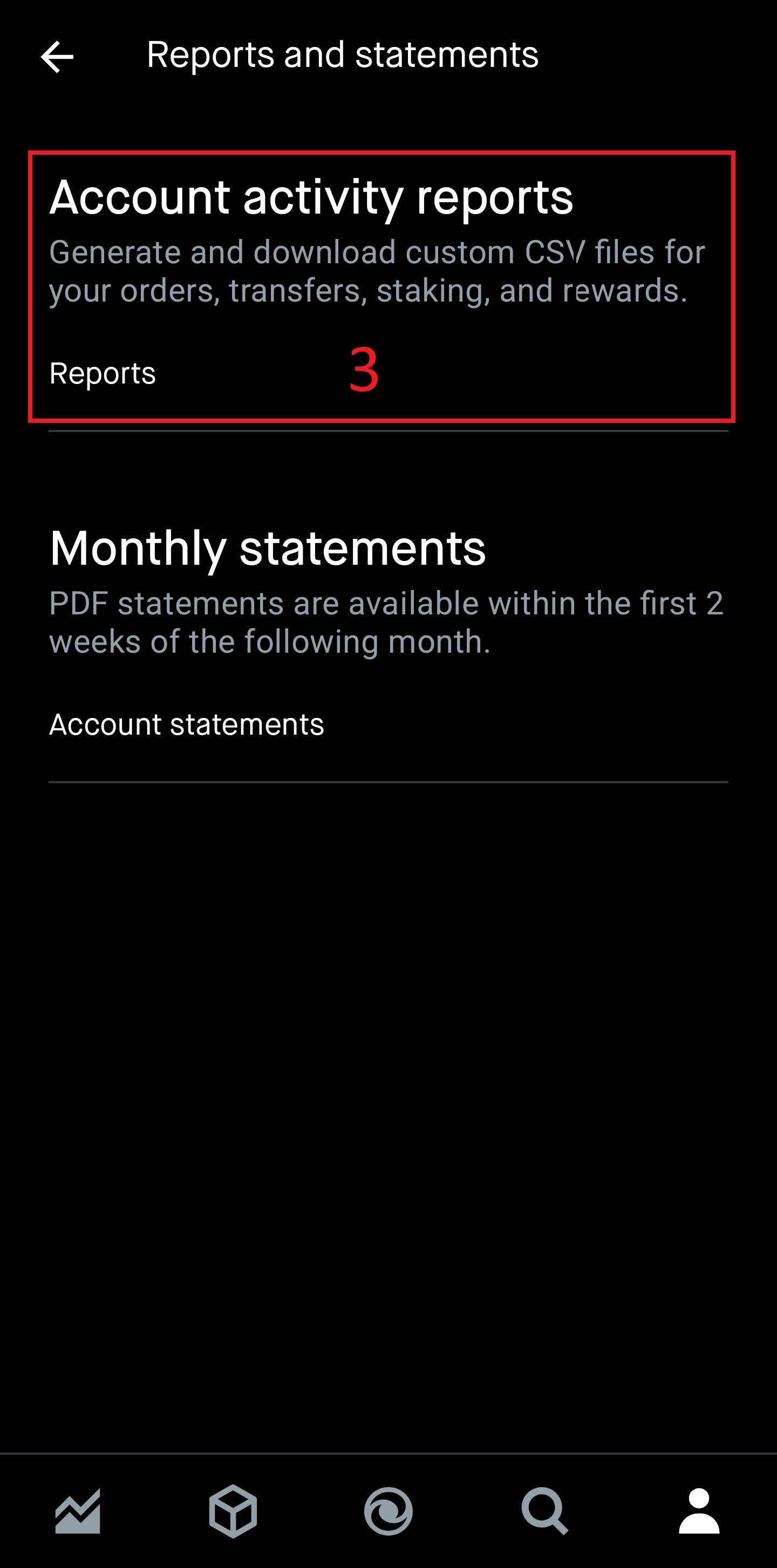
Tap Account activity reports, then Reports (3). This is the CSV export. The Monthly statements below it are PDFs, which Oitava cannot read.
- 3
Start a new report
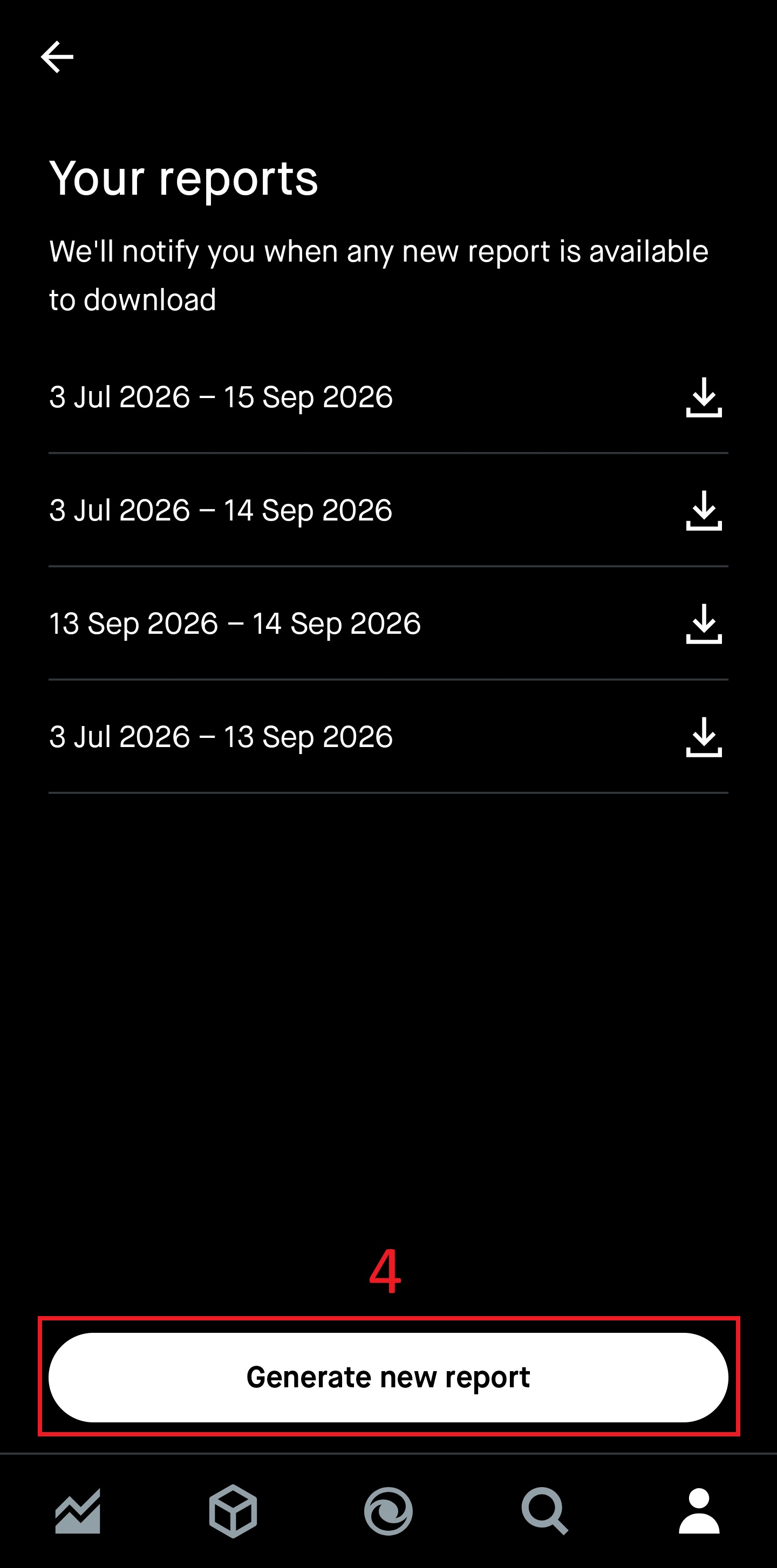
Any reports you have generated before are listed here. Tap Generate new report (4).
- 4
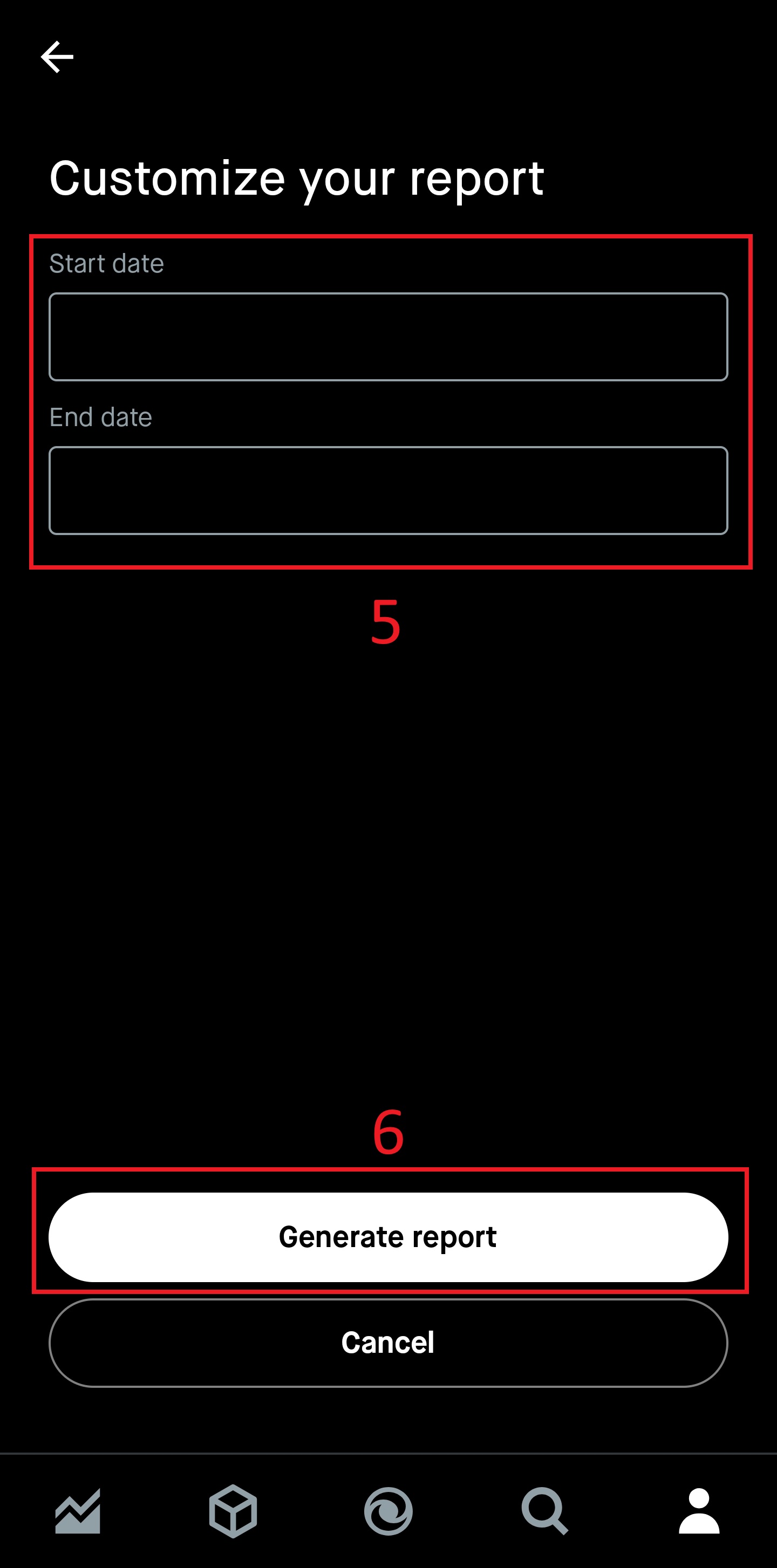
Set the date range
Enter a start and end date covering your full history (5), then tap Generate report (6). Set the start date to before your first ever deposit, otherwise the earlier transactions will be missing.
- 5
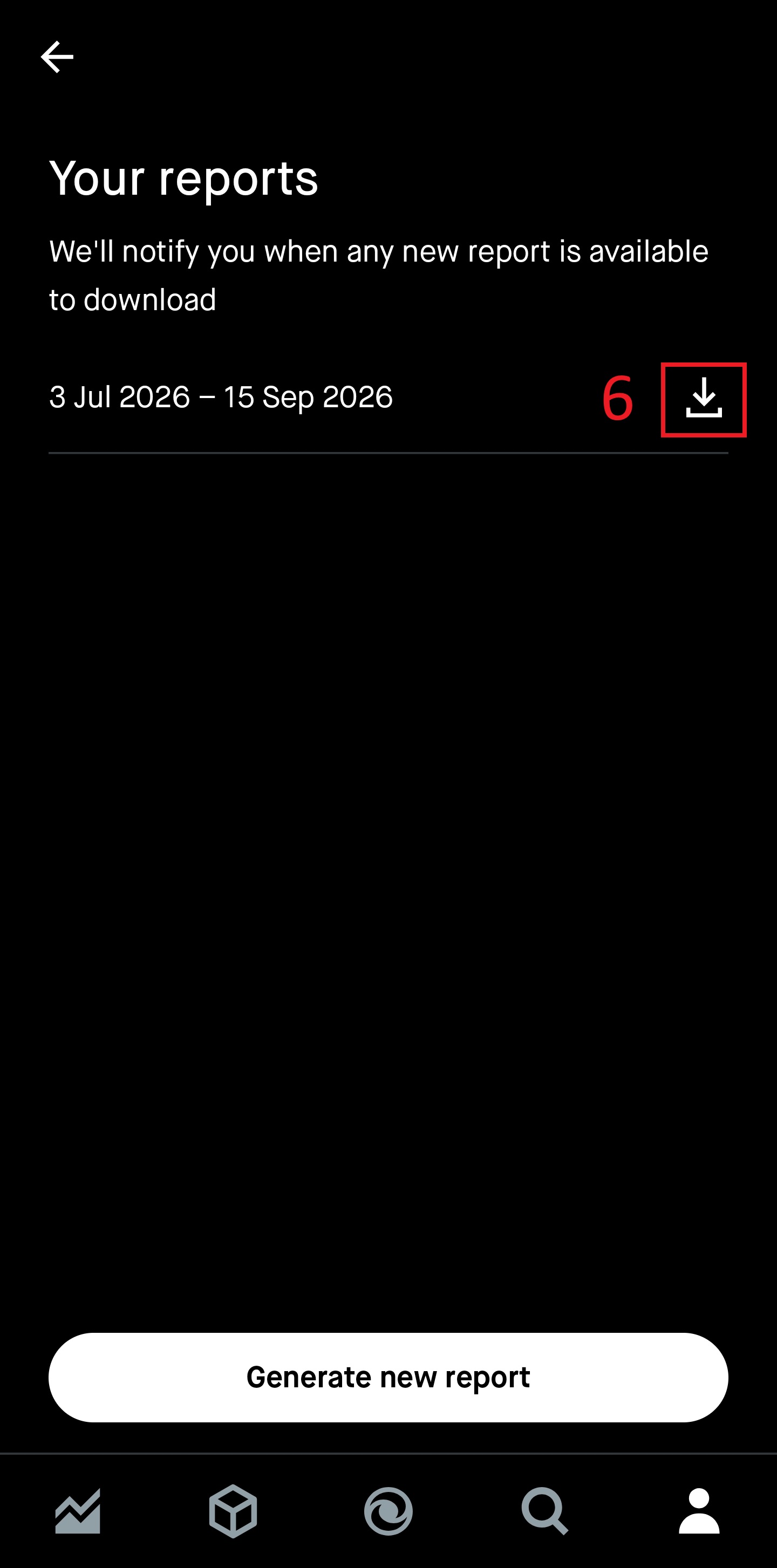
Download and import
The report takes a moment to prepare and Robinhood notifies you when it is ready. Tap the download icon next to it, then upload the CSV in Oitava's import dialog.